Getting Started
Download Blender
We have only tested the code on Blender-2.92, please use the same version of Blender:
cd BlenderFunc
wget https://download.blender.org/release/Blender2.92/blender-2.92.0-linux64.tar.xz
# or use tsinghua source
# wget https://mirrors.tuna.tsinghua.edu.cn/blender/blender-release/Blender2.92/blender-2.92.0-linux64.tar.xz
tar xvf blender-2.92.0-linux64.tar.xz
It is recommended to make a soft link to reduce typings:
ln -s ./blender-2.92.0-linux64/blender .
If you have not used Blender before, it is recommended to try it once for the first time:
./blender
You will see the Blender GUI as below.

Run helloworld.py
./blender --background --python=examples/helloworld.py
--background means run blender in background for UI-less rendering,
--python means run blender with given python script file. These are all
the instructions we need to run blenderfunc.
After running, you will see the rendering results in the output/helloworld directory.
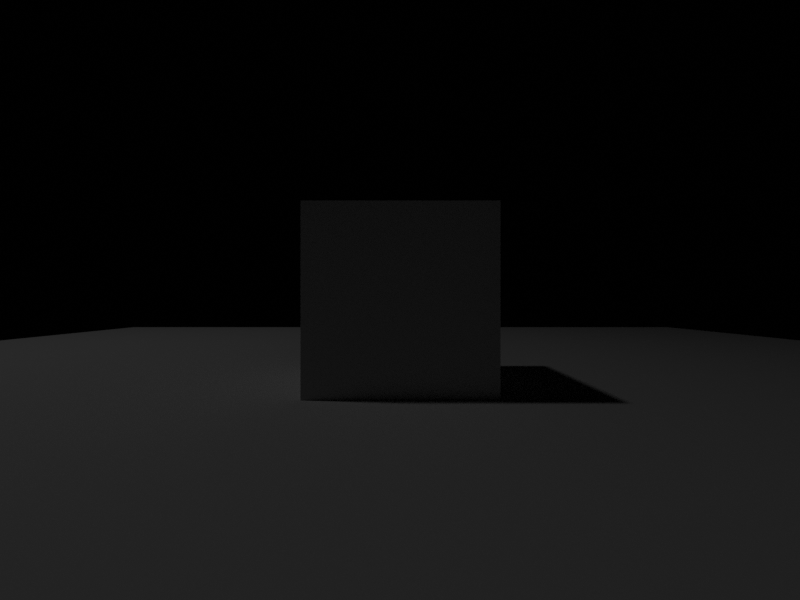
Let’s understand the helloworld.py:
import sys
sys.path.append('.')
import blenderfunc as bf

bf.initialize()
bf.add_light(location=[-5, 0, 10], energy=100)
bf.add_plane(10)
cube_name = bf.add_cube(1)
bf.get_object_by_name(cube_name).location = (0, 0, 0.5)
bf.set_camera(pose=[[1.0,  0.0,  0.0,  0.0],
                    [0.0,  0.0,  1.0, -2.5],
                    [0.0, -1.0,  0.0,  0.5],
                    [0.0,  0.0,  0.0,  1.0]])
bf.render_color('output/helloworld/output.png', save_blend_file=True)
First, we should note that Blender is using its own python environment.
Therefore, all code is executed using Blender’s own python binary.
We can find the Blender’s python binary path is blender-2.92.0-linux64/2.92/python/bin/python3.7m.
import sys
sys.path.append('.')
The above two lines add the current directory to the python searching path, allowing Blender python to find BlenderFunc.
import blenderfunc as bf
The above line will first install the dependencies of BlenderFunc using the pip tool embedded in Blender, then
import all BlenderFunc APIs. You can check the blenderfunc/__init__.py for detail.
bf.initialize()
bf.add_light(location=[-5, 0, 10], energy=100)
bf.add_plane(10)
cube_name = bf.add_cube(1)
bf.get_object_by_name(cube_name).location = (0, 0, 0.5)
bf.set_camera(pose=[[1.0,  0.0,  0.0,  0.0],
                    [0.0,  0.0,  1.0, -2.5],
                    [0.0, -1.0,  0.0,  0.5],
                    [0.0,  0.0,  0.0,  1.0]])
Initialize the Blender scene, add a light source, add a plane, add a cube and set its location, set a camera.
bf.render_color('output/helloworld/output.png', save_blend_file=True)
Render the scene and save the color image to output/helloworld/output.png, it will also
save the “.blend” file for debugging purpose if save_blend_file=True.